



 |
|
 | |
 | |
 | |
 | |
 | |
 | |
|

 | ||||||||

|

 |
 |
|

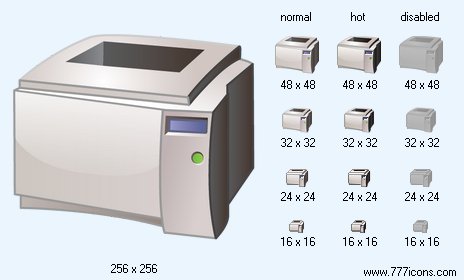
 Laser Printer Icon |

|
 Add Laser Printer icon to cart
Image sizes: 256x256, 48x48, 32x32, 24x24, 16x16, 512x512
File formats: BMP, GIF, PNG, ICO
 Purchase entire Database Icon Set now! View Database Icon Set now!
 Download demo icons
Developing Software for Windows Vista with Royalty-Free Vista Toolbar Icons
A royalty-free set of ready-made images to make your applications look and feel exactly like Windows Vista will help you speed up software development while giving the product a finished, consistent look.Producing software or adapting existing applications to match the new Windows Vista style is neither cheap nor easy. Drawing all the graphics in strict accordance with Microsoft’s guidelines for the latest version of Windows takes time and money. However, there is a way to make the transition fast, easy and very affordable. The way is stock graphics.
Stock images are nothing new. They’ve existed for many years, and are being used by millions of businesses (and no, that it not an exaggeration). Compared to custom icons, you gain speed and cut down your costs. You can always preview what you are getting before buying it. Finally, you can choose between several sets, having the ability to obtain just the perfect one.
Vista Toolbar Icons are offered as a royalty-free set of ready-made graphics to make your software look and feel exactly like Windows Vista. Drawn by experienced designers, Vista Toolbar Icons are a matching set of icons sharing common features such as gamma, colors, and style. Using images from Vista Toolbar Icons throughout the application ensures a solid, consistent appearance while preserving the authentic Windows Vista appearance.
Designed in strict accordance with Microsoft icon recommendations for Windows Vista, Vista Toolbar Icons will ensure that users of your applications or Web sites are instantly familiar with the concepts depicted by the icons. Including several hundred icons, the set of Vista Toolbar Icons has icons to represent the majority of objects and symbols used in a typical Vista product. Supplied are Folder icon, Image icon, New icon, Web icon, Home icon, Search icon, Delete icons, Down icon, Edit icons, Copy icon, Exit icon, No icon, Yes icon, OK icon, Windows Mail icon, Up Folder icon, and User Folder icon among hundreds of others.
Technically, the icons are supplied in every possible size, color depth, and file format you are going to need to launch a Windows application or a Web site. Sizes of 16x16, 24x24, 32x32, 48x48 and 256x256 pixels are supplied. The icon set comes in 256 colors and True Color with semi-transparency. All images are provided in ICO, PNG, GIF, and BMP file formats.
Vista Toolbar Icons are available for instant preview and instant purchase at www.777icons.com.
Copyright © 2006-2022 Aha-Soft. All rights reserved.
|



 More info


