Logo Stock Icons HomeDownloadsBuyContact  
Home
Ready icons
Custom Image Design
Downloads
Order
Support
Toolbar icons

Premium Quality
Icons

Get your high quality
and affordable icons!

www.perfecticon.com

Professional Stock
Icons

More than 9999 unique
icons. Low price
& High quality.

www.perfect-icons.com

Standard Icons
The widest variety of
professionally designed,
royalty-free stock icon
collections.

standard-icons.com

Quality
Toolbar Icons

Download thousands
of toolbar and menu
icons now!

toolbar-icons.com

Buy Icon Images
Application icon
library. 16x16 icons
and other sizes.

toolbar-icons.com
Toolbar Icon Set
 View Icon Set  Download  Purchase


 Toolbar Icon Set

Save File Icon Images

Save File Icon

Previous icon View icon set

Next icon


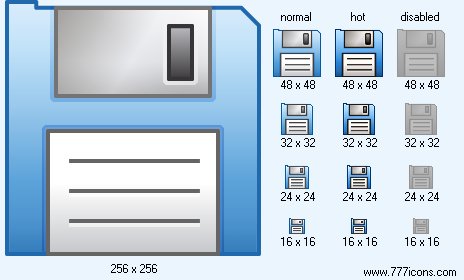
Save File icon
Save File Icon

 Add Save File icon to cart

 Purchase Save File icon for $5.00 now!


Image sizes: 256x256, 48x48, 32x32, 24x24, 16x16, 128x128
File formats: BMP, GIF, PNG, ICO

 Purchase entire Toolbar Icon Set now!

 View Toolbar Icon Set now!

 Download demo icons


Creating Realistic Icon Images for Windows 7

Windows Vista icons are strikingly different from any other kind of icons, making tools and utilities that use the new icons look in-line with the current trend. Learn how to make realistic icons for Windows Vista with Sib Icon Studio.

The original icons included in Windows Vista set a new high in iconography. Stylish, attractive and slick icons create great looks while careful consideration taken to ensure color consistency and shape cognition make the users immediately comfortable with the new interface.

There is a lot to say about the new style of Vista icons. Windows Vista icons are strikingly different from any other kind of icons, making tools and utilities that use the new icons look modern and in-line with the current trend. By not using the Vista icons, the software developers risk in their products looking dated, with some users even questioning the Vista compatibility of the product.

Technically speaking, there are just a few easy-to-follow guidelines that create the recognizable "Vista" look.

Windows Aero icons look a tad more realistic than the cartoonish icons used in Windows XP. Not realistic enough to be mistaken for a photographic image of an object, Vista icons look more like simple 3D renderings with translucency and glaring reflections, but without textures and traced light. Windows Vista icons present just enough detail to be recognizable, without overcrowding with details that might detract the viewer from their main cognitive purpose.

The fresh, more realistic approach to designing icons for Windows Vista became feasible with the introduction and subsequent spread of a new generation of high-resolution, high-DPI displays. Microsoft has defined a new standard for high-resolution icons in its Windows Vista, adding compressed full-color images that consist of 256x256 pixels to the list of available formats. The new large size allows Windows Vista render applications smoothly and perfectly at any display resolution. Although Windows Vista does not support vector icons at the moment, keeping vector originals seems to be a good idea.

How can you draw icons for applications designed to work in Windows Vista? You’ll need appropriate tools for that. Sib Icon Studio http://sibcode.com is designed to help you make perfectly-looking icons for Windows Vista applications.

First of all, you have to define sizes for your icons. Microsoft defines a few standard sizes for maximum compatibility. Create square images with every side sized at 16, 32, 48, and 256 pixels. Bit-depth wise, you are looking at 32-bit ‘true color’ and 8-bit (256-color) variants. 4-bit icons (16 colors) are also to be considered if there’s a chance that your applications will ever run in a server environment or over remote connection. The 16-color icons are a completely different story though, as they require quite a different approach to make recognizable and good-looking pictograms.

Windows Vista supports icon transparency and semi-transparency for the 32-bit icons. Every true color icon has an 8-bit Alpha channel that defines the transparency mask, making it possible to create icons with realistic shadows and smooth edges. Semi-transparent icons look cool and blend into the environment, adding to the Aero experience.

The 8-bit and lower color depths also use the transparency mask, only the masks are just one bit, meaning a simple "transparent" or "opaque" with no additional gradations.

Adding supplementary sizes such as 24x24, 64x64 and 128x128 pixels is less common, but can be useful under certain circumstances.

With that many formats, sizes and bit depths the icons are going to be huge in size. A single uncompressed true-color icon at maximum resolution of 256x256 dots takes over 400 KB. Compare that with a typical 25 KB of a Windows XP icon! The size problem pushed Microsoft to accept the PNG compression algorithm that keeps icon size under control. The PNG format is lossless, and fully supports high-resolution, high-bit-depth icons with semi-transparent alpha-channels. Needless to say, Sib Icon Studio supports all icon formats as well as the PNG compression to create perfectly looking and perfectly compatible icons for Windows Vista programs.

Designed Button Glyph Packs

Individual Ready Icons

You can buy individual icons to suit your needs. Each icon is $5 when purchased individually.

 Icon Usage Agreement

Download Toolbar Icon Set


Music Icon Library Music Icon Library will illustrate all the musical related objects. Provided sizes are 16x16, 24x24, 32x32, and 48x48, the file formats are BMP, PNG, ICO and GIF.

Large Weather Icons Large Weather Icons represent different weather conditions that are common for software, weather Web sites, and mobile gadgets. The images are supplied in all sizes standard to Windows, Mac OS, and mobile devices. The largest versions are huge 512x512 pixel images with vector sources in Adobe Illustrator (.ai) format easily affordable and ready to be printed or used in presentations in highest resolution.

Financial Icon Library for Vista Vista Financial Icon Library is a collection of finance and purchase related icons in contemporary Vista style. The collection is distributed as BMP, GIF, PNG and ICO file formats.

Network Icon Library for Vista Vista Network Icon Library is a collection of network-related graphics. The collection is distributed as BMP, PNG, GIF and ICO files. Each icon has 16x16, 24x24, 32x32, 48x48 and 256x256 sizes.

Standard Toolbar Icons Standard Toolbar Icons is a new library of colored icons with flawless graphics for any-purpose use, representing all basic actions needed for surfing the internet or using various applications.